Is VideoSize.net really free?
Absolutely! VideoSize.net is 100% free forever. We believe video processing should be accessible to everyone. There are no hidden fees, premium subscriptions, or usage limits. You can compress, resize, and crop unlimited videos without ever paying a cent. We're committed to keeping all our tools completely free while maintaining professional-grade quality.
Do you store my videos?
Never! Your privacy is our top priority. All video processing happens entirely within your web browser using WebAssembly technology. Your videos never get uploaded to our servers or leave your device. This means faster processing, complete privacy protection, and no risk of data breaches. Even we can't see your videos - they stay 100% private on your computer.
What video formats are supported?
We support virtually all video formats you'll encounter. Major formats include MP4, MOV, AVI, MKV, WebM, FLV, 3GP, ASF, WMV, M4V, and many more. Our FFmpeg-powered engine handles both common and obscure formats seamlessly. You can also convert between different formats during processing. If you have a video file, chances are we can process it.
Is there a file size limit?
The current browser tools accept videos up to 500MB per file. This limit keeps processing stable across common phones, tablets, and laptops because all work happens locally in your browser memory. There are no server upload queues or account quotas, and larger-file support is a future improvement we are treating carefully.
How does compression work?
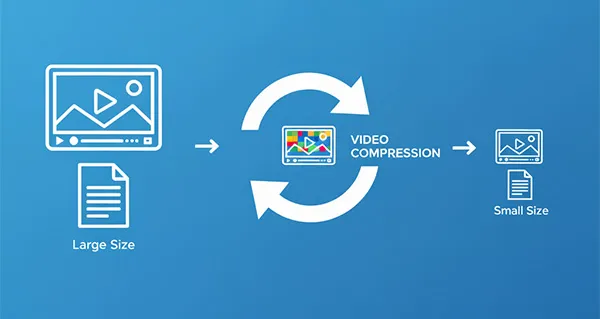
We use industry-standard FFmpeg algorithms with advanced optimization techniques. Our compression intelligently analyzes your video's content, motion, and visual complexity to find the perfect balance between file size and quality. You can choose from multiple compression levels: light compression (10-30% reduction), standard (30-60% reduction), or aggressive (60-80+ reduction). The smart encoder preserves important details while removing redundant data.
How fast is the processing?
Processing speed depends on your device's CPU power and video complexity. Typically: a 100MB video compresses in 30-90 seconds on average computers, while powerful machines can process the same video in 10-30 seconds. Since everything runs locally, there's no upload/download time - just pure processing. Newer devices with multiple CPU cores will see significantly faster performance.
Can I process multiple videos at once?
Yes, the compressor and resizer support sequential batch queues. You can select multiple videos at once, and the browser will process them one by one so each job gets enough memory and CPU. Cropping and quick compression still process one file at a time.
What's the video quality after compression?
Our smart compression maintains excellent visual quality while dramatically reducing file size. We use variable bitrate encoding, which allocates more bits to complex scenes and fewer bits to simple scenes. Most users can't tell the difference between original and compressed videos, even at 50-70% size reduction. You can preview the quality before downloading and adjust settings if needed.
Do I need to install any software?
Not at all! VideoSize.net runs entirely in your web browser using cutting-edge WebAssembly technology. No downloads, no installations, no browser plugins required. It works on any modern browser (Chrome, Firefox, Safari, Edge) across all operating systems (Windows, Mac, Linux, even mobile). Just visit our website and start processing immediately.
Can I use this on mobile devices?
Yes! Our tools are fully optimized for mobile devices. While processing may be slower on phones/tablets due to hardware limitations, all features work perfectly. The interface adapts to smaller screens, and touch controls make it easy to select files and adjust settings. Perfect for quick video optimizations on the go.
What if processing fails or gets stuck?
If processing encounters an issue, try these solutions: refresh the page and try again, ensure your browser is up-to-date, close other memory-intensive tabs, or try a different compression level. For very large files, consider breaking them into smaller segments first. Our error handling provides helpful messages to guide troubleshooting. If problems persist, the video format might need conversion first.